Welcome to the Prevent Cancer Foundation® Community Exchange—a network of organizations working at the community level to advance cancer prevention, early detection and vaccinations in areas of high need across the U.S. Members are able to connect, collaborate and share resources through exclusive access to an online platform, trainings and events.
Whether you’re here to share ideas, ask questions or learn from others, the platform supports open, respectful conversation and shared learning. Every voice matters, and we’re glad you’re here.
Before you dive in, please review our Community Guidelines to help keep this space welcoming and useful for everyone.
Start by personalizing your experience.
Click your initials (or photo) in the top right corner and select Profile.
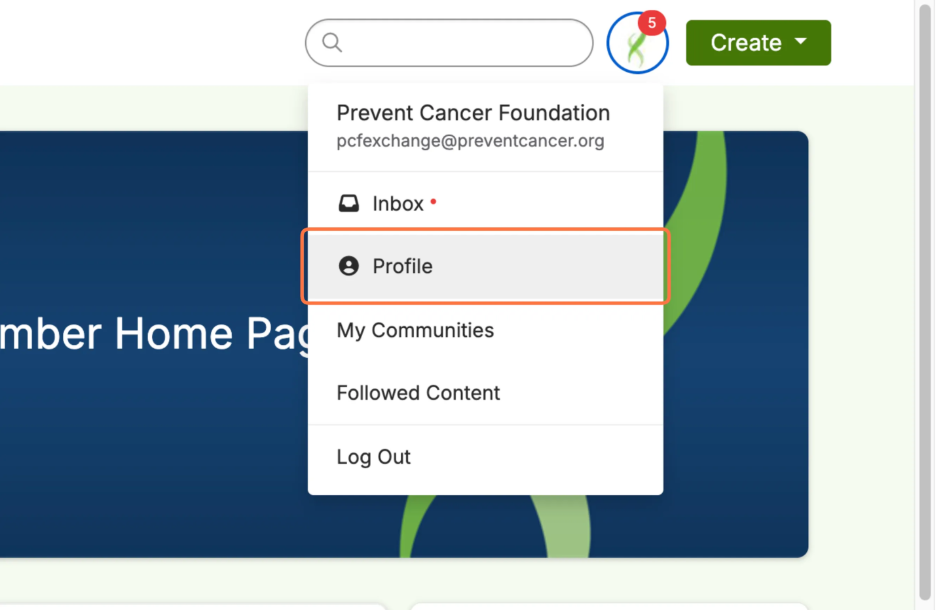
Add/change your photo, update your contact information and include details about your role, areas of expertise and interests.
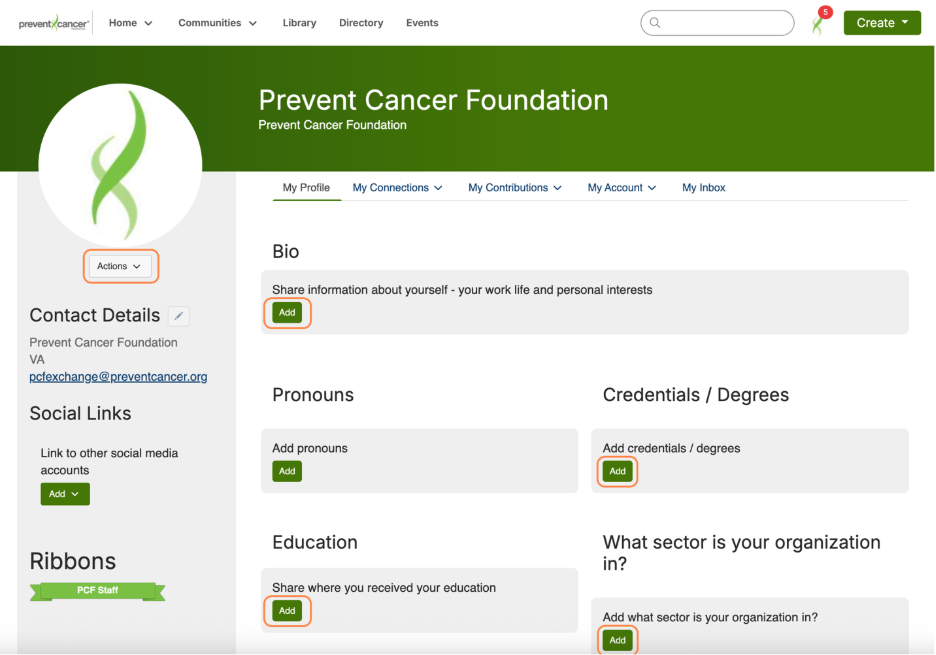
The more you complete your profile, the easier it will be for others to find and connect with you.
If you are adding your LinkedIn profile or URLS, make sure to include the full address beginning with https://.
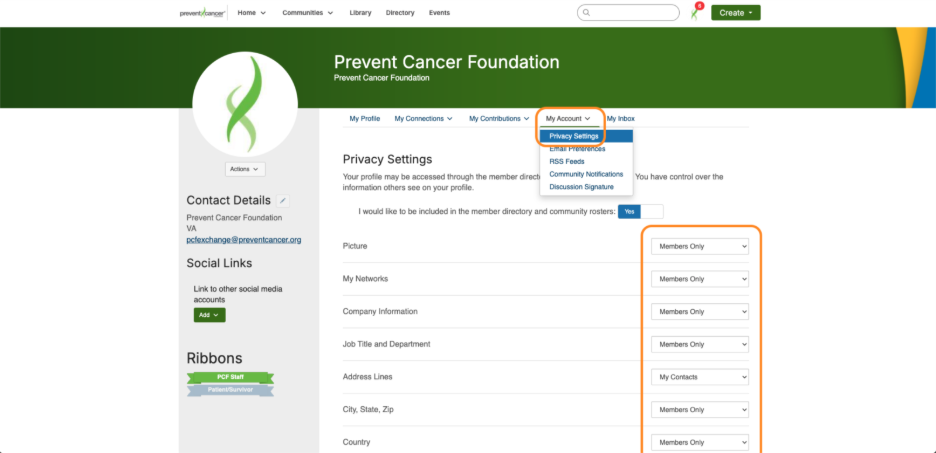
In privacy settings, “Members only” refers to anyone who has registered for the platform. “My contacts” is anyone you have added as a contact on the platform. “Public” means
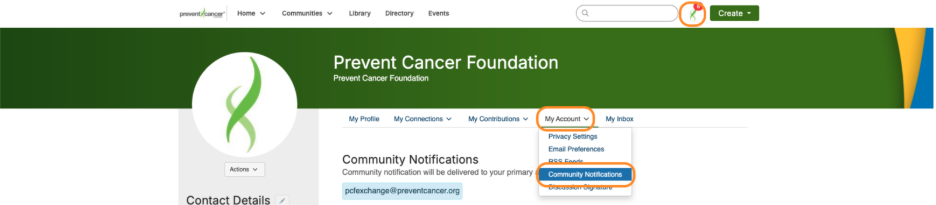
Customize your notifications:
To update how and when you receive notifications from the communities you're a part of, go to My Profile > My Account > Community Notifications > Notification Settings. Community Notifications refers to email updates from the various communities you are part of when there is activity (discussion posts, new resources or events posted and announcements). Email Preferences refers to emails you'll receive from the platform administrators or based on individual interactions (if someone sends you a connect request or replies to your post, etc.). We strongly recommend not turning off all email communication.
Explore discussion threads, share your insights or ask questions.
Visit the Communities section to start or join a conversation, post an event or browse resources. Some communities are open to everyone while others are only available to certain groups. All communities that you have access to join will be visible.
When starting a new discussion, be sure to use tags in your post so others can easily find and engage with it later. You can do this by adding
TIP: When adding a link to a post, include the full URL with https:// so that it becomes clickable for other users and be sure to tag your content so it's searchable in the library.
The Community Exchange is more than a message board. It’s a place to build relationships and stay connected to the broader cancer prevention community.
Use the Member Directory to find other members doing similar work. Use the filtered searches to narrow your list based on interest areas. Want to browse a full list of members? Click the List of Members tab on the Directory page.
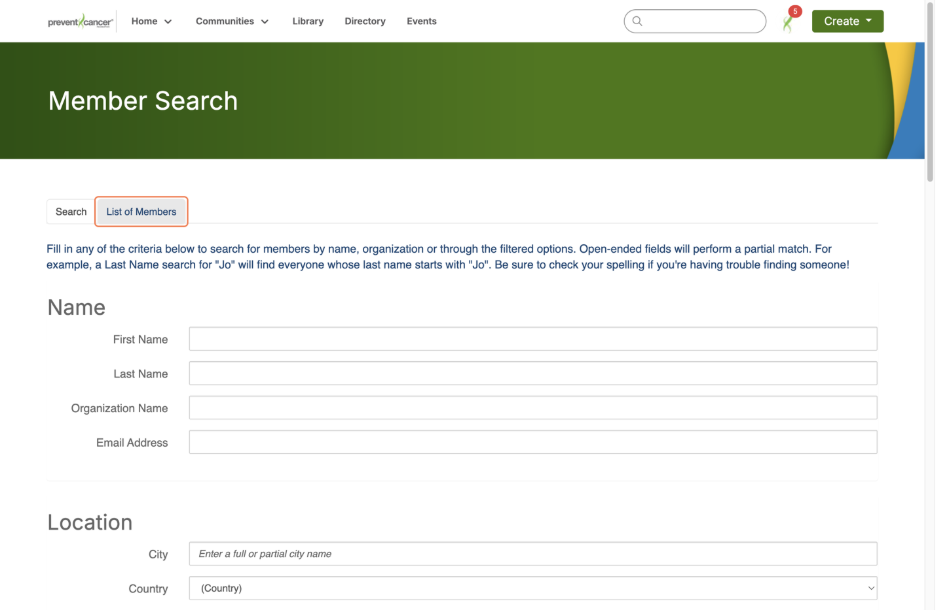
Send private messages to connect one-on-one and start individual conversations.
Tip: Spelling matters in the member search and must be completely accurate. Not sure how to spell the name you’re searching for? Just type in the first few letters you know are correct.
Visit the Events tab to check out upcoming opportunities and share your own events with the community.
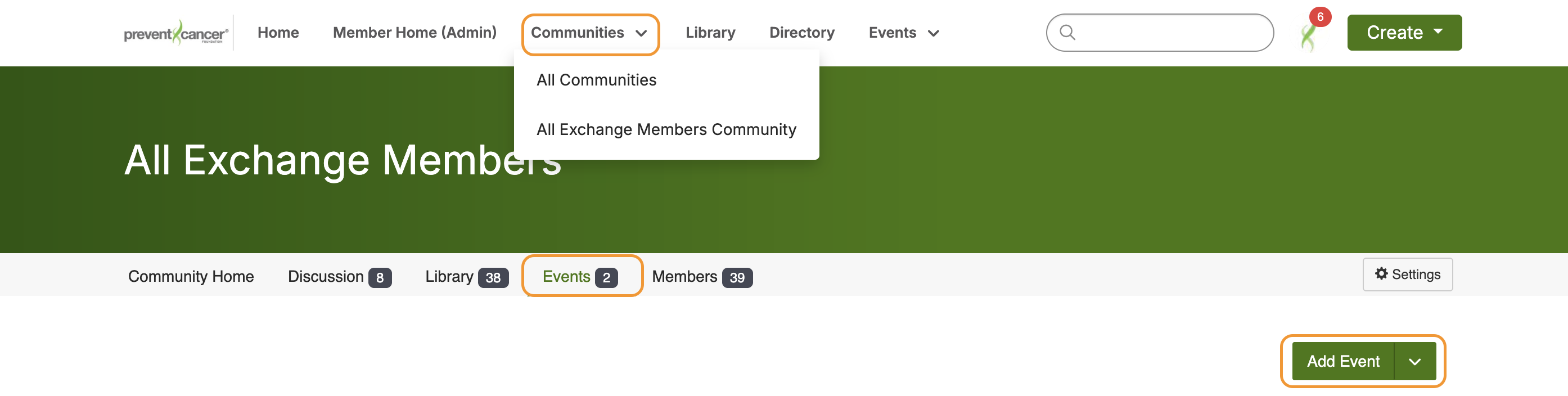
Tip: To post your own event, navigate to the community where you want to post it, click the Event tab within that community and click Add Event.
Use the Search bar to find posts, people or resources across the platform.

About search & AI assistance: The Exchange features an AI-powered search tool designed to help you find what you need faster. When you enter a term or question, AI search looks across discussion threads, library entries and member posts to suggest the most relevant results. The AI search does not pull information from the open internet. It works within a closed system, meaning results come only from content shared on the Community Exchange.
Tip: Phrase your question naturally—e.g., “sample screening flyer” or “outreach strategies for rural communities.”
You can filter and sort results to narrow what you’re looking for.
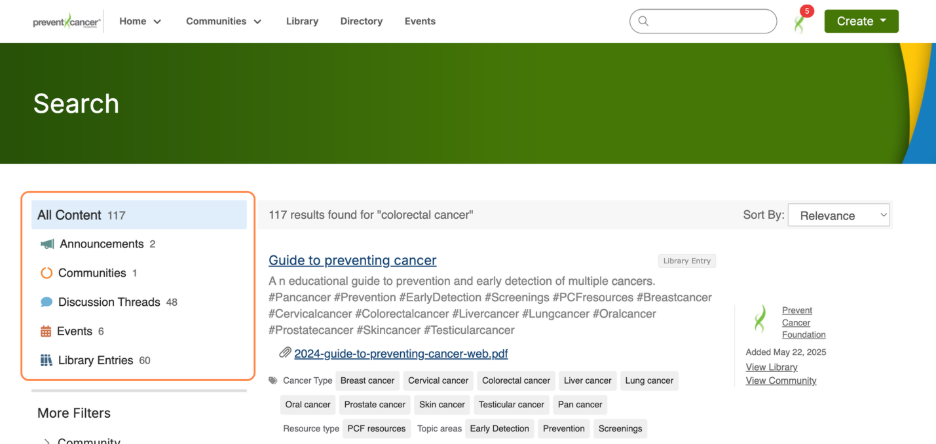
Find tools, trainings and real-world strategies that support your work.
Head to the Library to browse toolkits, templates, resources, webinars and more.
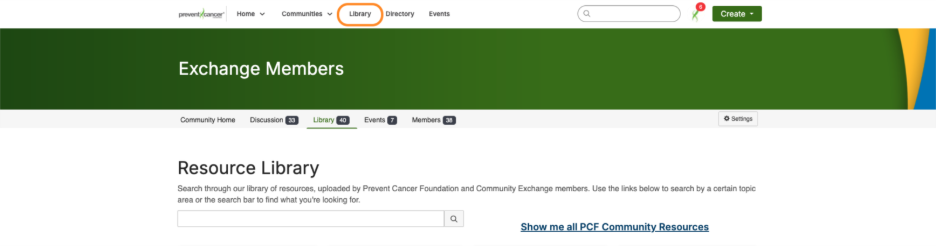
Upload your own resources to help others in the community.
Tagging tips
Tags keep the Resource Library and discussion threads searchable and organized. When adding a tag to a post, make sure to click the tag that appears in the dropdown menu. This activates the tag and allows others to search for related posts. If you don’t see the tag you need, you can create your own.
In the Resource Library, you can tag resources with one of four categories:
- Cancer type
- Topic area
- Population focus
- Resource type
Step 5: Stay engaged
The more you participate, the more valuable your experience on the Exchange becomes.
Need help?
The Community Exchange will grow stronger with your participation. Every post, question and shared idea helps bring us one step closer to our vision of a world where cancer is preventable, detectable and beatable for all.